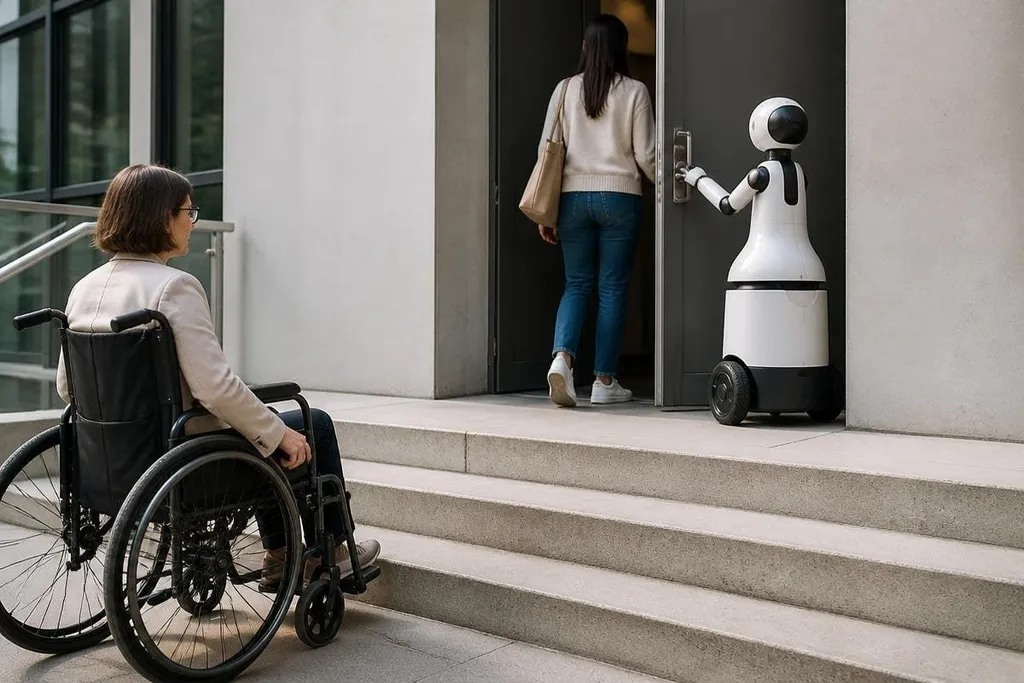
A robot can help someone open a door, move through a building, or handle a heavy task. The same system can also leave people behind when its price, controls, or repair needs sit beyond their reach.
That creates a harder question for robotics teams: who gets the benefit when a machine enters a home, workplace, hospital, or public service?
- High prices can limit access before a robot reaches the people who need it.
- Voice, touch, and vision controls may exclude people with different abilities.
- Public buyers should test access, repair, training, and long-term cost together.
Where the divide starts
Price is the first barrier. For one person, the robot may reduce effort, but its purchase price, service plan, software fees, and setup work can place it outside a household or small organization’s budget.
That cost also affects shared services. A care provider, school, or housing group may have to choose between one expensive robot and several lower-cost changes, such as ramps, lifts, better lighting, or trained staff. The robot’s value depends on the task and the other options available.
Access can narrow during installation, too. A system that needs a strong wireless network, a clear floor, regular charging, or a trained operator may work well in a new building but struggle in an older one.
Those limits matter when the people who need help have the least control over the building.
Control is part of accessibility
A robot’s interface decides who can use it. Touchscreens may be hard for people with limited hand movement. Voice control may fail in noisy rooms or exclude people who cannot speak. Camera-based systems may need a clear view of the person and the task.
A better design gives people more than one way to issue a command and receive feedback. Physical buttons, switches, voice input, phone controls, and clear sound or light signals can cover different needs. Each option still needs testing with the people expected to use it.
Safety controls need the same care. An emergency stop placed behind the robot, high on a wall, or inside a small control panel may be difficult to reach during a fault. A safe system has controls that match the user’s position, strength, sight, and response time.
A control that fits the body can still create a new barrier if the robot records voice, movement, or health data without a clear way to review or delete it. Reporting on data in accessible robotics can place those rules beside the machine’s safety controls.
The data problem
Robots that use cameras, microphones, or movement data can raise a second access concern: people may have to give up privacy to receive help. A home robot could need data about routines, visitors, health needs, or movement around the building.
That choice may be unequal. A person with enough money may buy a system with local data storage and clear controls. Someone using a public service may have little say over where recordings go or how long they remain stored.
The same issue affects software updates. If a company changes an interface, removes a control, or stops supporting an older model, a person can lose access without changing their own needs. A robot’s useful life therefore includes service terms, repair paths, and software support.
A practical buying and design check
Before a robot is approved for an accessibility task, check these points:
- Task fit: name the exact action the robot must perform and the person who will use it.
- Control choices: test physical, voice, visual, and phone-based controls where the task allows them.
- Failure response: confirm that the user can stop the robot and get help when power, network, or sensors fail.
- Total cost: count purchase, setup, training, service, batteries, software, and repair.
- Data control: state what the robot records, where it stores the data, and who can delete it.
- Exit plan: record how a person can keep working if the robot breaks or its maker ends support.
I’d reject any access project that measures robot performance but skips the people who must live with the system.
Robotics can reduce physical effort, but access depends on more than a working machine. The next useful test is clear: can the intended user control it, afford it, repair it, and replace it when the software stops receiving updates?